ANÚNCIOS
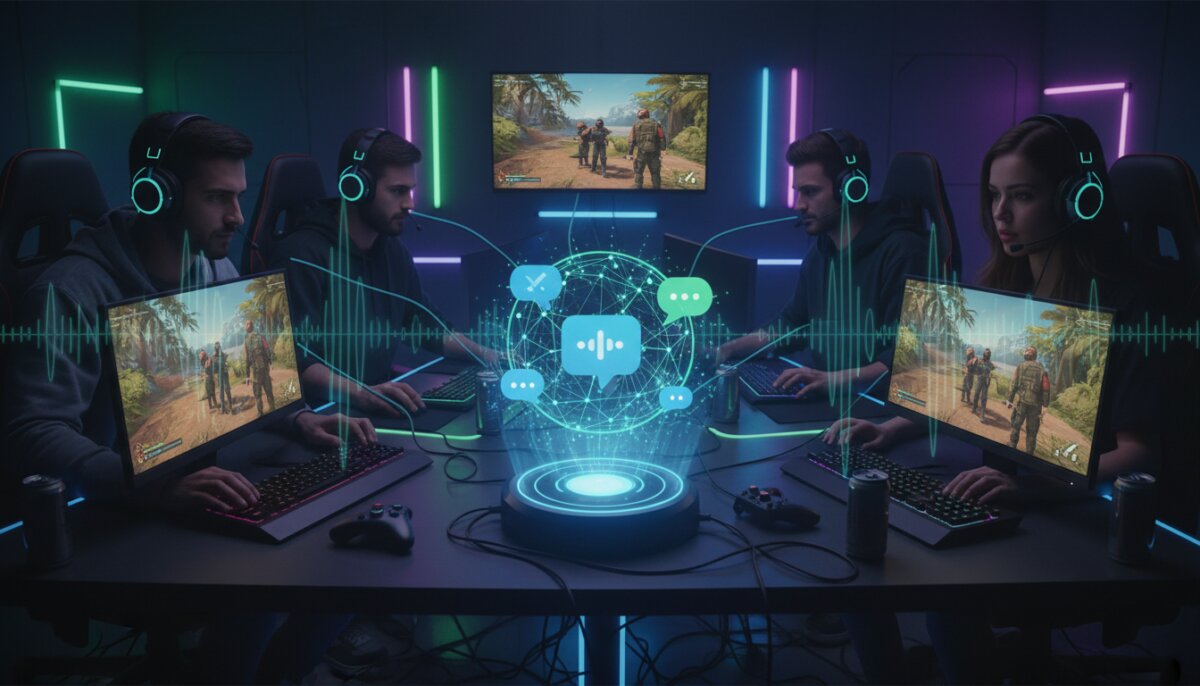
Let’s be real – trying to coordinate a squad wipe or plan the perfect ambush using in-game chat is about as effective as shouting into the void. Whether you’re raiding dungeons, dropping into battle royales, or coordinating complex strategies in tactical shooters, having reliable voice chat can mean the difference between victory and watching your team get absolutely demolished.
The right voice chat app isn’t just about being heard – it’s about crystal-clear communication, minimal lag, and features that actually enhance your gaming experience rather than distract from it. After countless hours of testing (yes, it’s tough work, but someone’s gotta do it), I’ve put together this comprehensive guide to the best voice chat apps that’ll keep you and your squad connected.
ANÚNCIOS
So grab your headset, settle in, and let’s dive into the world of voice chat apps that’ll take your team coordination to the next level.
Discord: The Undisputed Champion
If you’ve been gaming anytime in the last five years, you’ve probably heard of Discord. This powerhouse has basically become synonymous with gaming communication, and for good reason. What started as a simple voice chat solution has evolved into a complete communication platform that millions of gamers rely on daily.
ANÚNCIOS
Discord’s server-based system lets you create dedicated spaces for your gaming crew, complete with multiple voice channels, text channels, and even video chat options. You can have separate channels for different games, casual hangouts, or serious competitive play. The flexibility is honestly unmatched.
The audio quality on Discord is exceptional, with support for high-quality voice encoding that keeps communication crisp even during intense gaming sessions. The noise suppression feature is a game-changer too – it filters out keyboard clicks, background noise, and that annoying fan your teammate refuses to fix.
Discord Pros and Cons
Pros:
- Completely free for basic features with excellent quality
- Works seamlessly across PC, Mac, iOS, Android, and web browsers
- Screen sharing and streaming capabilities built-in
- Robust permission system for managing larger communities
- Integration with countless games and services
- Low latency and reliable connection stability
Cons:
- Can be overwhelming for new users with all its features
- Requires creating an account and managing servers
- Video quality limits on free tier
- Sometimes resource-heavy on older devices
TeamSpeak: The Old Reliable
Before Discord took over the gaming world, TeamSpeak was the go-to choice for serious gamers, and it’s still going strong. This veteran of the voice chat wars has been around since 2001, and it’s survived this long because it does one thing exceptionally well: military-grade voice communication.
TeamSpeak is all about that low-latency, high-quality voice chat with minimal system resource usage. It’s the choice for competitive esports teams, large gaming clans, and anyone who needs rock-solid reliability. The audio codec options give you granular control over quality versus bandwidth usage.
The interface might look a bit dated compared to newer options, but don’t let that fool you. Under the hood, TeamSpeak is an absolute beast when it comes to performance. It uses significantly less bandwidth and system resources than most competitors, making it perfect for gaming on older hardware or unstable internet connections.
Why TeamSpeak Still Matters
The server-hosting model of TeamSpeak gives you complete control over your voice chat environment. You can host your own server, rent one, or use free public servers. This means total customization and privacy – no corporate overlords monitoring your conversations or changing terms of service on a whim.
For competitive gaming where every millisecond counts, TeamSpeak’s superior codec and low overhead make it the preferred choice. Many professional esports organizations still use TeamSpeak for tournament play because of its reliability and performance advantages.
Mumble: The Open-Source Powerhouse
If you’re into open-source software or just want maximum control over your voice chat experience, Mumble deserves your attention. This free, open-source application has been a favorite among privacy-conscious gamers and tech-savvy communities for years.
Mumble’s claim to fame is its incredibly low latency – we’re talking about delays measured in milliseconds. The positional audio feature is particularly cool for games that support it, as it makes voices sound like they’re coming from the actual position of players in-game. Imagine hearing your teammate’s callout from the direction they’re actually standing in the game world.
The setup process is more technical than Discord or other mainstream options, but that’s the trade-off for having complete control. You can self-host servers, customize every aspect of the audio processing, and rest easy knowing your data isn’t being harvested or analyzed.
Steam Chat: Built-In Convenience
If your entire squad lives on Steam anyway, why not use the voice chat that’s already built into the platform? Steam’s voice chat has come a long way from its rough early days and now offers surprisingly solid functionality for casual gaming sessions.
The biggest advantage here is zero setup required. If you’re already friends on Steam, you can start a voice chat with a single click. No separate app to download, no account to create, no servers to join – just instant communication with your Steam friends.
Steam Chat supports group calls, broadcasting to friends, and even has a mobile app so you can stay connected when you’re away from your gaming rig. The integration with Steam’s ecosystem means you can easily see what games your friends are playing and join them with voice chat already running.
When Steam Chat Makes Sense
- Your entire group exclusively plays Steam games
- You want the simplest possible setup
- You’re already using Steam’s social features
- You don’t need advanced features or customization
- You prefer keeping everything in one ecosystem
Guilded: The Feature-Packed Alternative
Guilded is like Discord’s ambitious younger sibling that’s trying to prove it can do everything better. Acquired by Roblox in 2021, this platform offers a ton of features that Discord locks behind its premium tier, completely free.
You get unlimited file uploads, better streaming quality, built-in scheduling and calendar features, and integrated tournament brackets. For gaming communities and clans, Guilded provides tools that go beyond simple voice chat to help manage your entire gaming organization.
The voice quality matches Discord’s high standards, and the interface will feel immediately familiar if you’re coming from Discord. The real differentiator is all those extra features that make organizing gaming events, sharing content, and building community easier.
Element (Riot): For the Privacy Enthusiasts
Element might not be the first app that comes to mind for gaming voice chat, but hear me out. This open-source, decentralized communication platform built on the Matrix protocol offers end-to-end encrypted voice calls that would make privacy advocates weep with joy.
If you’re concerned about data privacy, corporate surveillance, or just want to ensure your gaming conversations stay truly private, Element delivers. You can self-host your own server, use encryption for all communications, and still get decent voice quality for gaming.
The trade-off is a less polished interface and fewer gaming-specific features compared to dedicated gaming chat apps. But for squads that prioritize privacy and control over convenience, it’s an excellent choice that’s constantly improving.
SpatialChat: Proximity Voice for Unique Experiences
Here’s something different – SpatialChat uses proximity-based voice chat where you hear people based on how close their avatar is to yours in a virtual space. While not traditional gaming voice chat, it creates incredibly immersive experiences for social gaming and virtual hangouts.
This works brilliantly for games with social hubs, virtual events, or any scenario where you want voice chat to feel more natural and spatial. You can walk up to different groups, have private conversations by moving away from the crowd, and experience audio that actually matches the virtual environment.
What to Consider When Choosing Your Voice Chat App
Picking the right voice chat app isn’t just about downloading whatever your friends use (though that’s definitely important). Here are the key factors you should consider before committing to a platform.
Audio Quality and Latency
This is non-negotiable for gaming. You need crystal-clear audio with minimal delay. Even a few hundred milliseconds of lag can throw off your callouts and coordination. Look for apps that offer adjustable audio quality settings and low-latency codecs.
Test the app during actual gameplay, not just casual conversation. Some apps perform great when you’re sitting idle but struggle when your system is under load from a demanding game. The best voice chat apps maintain quality even when your CPU and network are working overtime.
Cross-Platform Support
Your squad probably uses different devices – PC gamers, console players, mobile gamers all trying to coordinate together. The best voice chat solution works seamlessly across all platforms without anyone feeling like a second-class citizen.
Check whether the app offers full functionality on mobile devices, not just a stripped-down version. Can console players join easily? Does the web version actually work well, or is it a buggy mess? These details matter when you’re trying to keep everyone connected.
Resource Usage
A voice chat app that eats up 20% of your CPU or uses a gigabyte of RAM isn’t doing you any favors. You need those resources for your actual game. The best apps run efficiently in the background without impacting your gaming performance.
This is especially crucial for competitive gaming where every frame counts. Monitor your system performance with different voice chat apps running to see which ones are the lightest on resources. Sometimes the difference is dramatic.
Additional Features That Matter
- Screen sharing for showing strategies or helping with tech issues
- Text chat for sharing links, images, or communicating when voice isn’t practical
- Recording capabilities for reviewing gameplay or creating content
- Noise suppression and echo cancellation for cleaner audio
- Customizable hotkeys for push-to-talk and other functions
- User management and moderation tools for larger communities
Making the Switch: Migration Tips
Thinking about moving your squad to a new voice chat platform? The transition doesn’t have to be painful if you approach it strategically. Start by getting buy-in from your core group – you need champions who’ll help convince everyone else that the switch is worth it.
Run both platforms in parallel for a week or two. This gives everyone time to get comfortable with the new app without the pressure of abandoning the old one immediately. Schedule some gaming sessions exclusively on the new platform to force familiarity.
Create a simple guide for your squad covering the basics: how to join, essential settings to configure, and troubleshooting common issues. Not everyone is tech-savvy, and a little documentation goes a long way toward smooth adoption.
Optimizing Your Voice Chat Experience
Having the right app is only half the battle. You need to configure it properly to get the best experience. Start with your input sensitivity settings – set them so your voice activates the mic but background noise doesn’t. This usually requires some trial and error.
Invest in a decent microphone if you haven’t already. You don’t need a $500 studio mic, but upgrading from your laptop’s built-in microphone to even a budget headset will dramatically improve how you sound to your teammates. Clear communication starts with clear audio input.
Enable noise suppression features in your voice chat app, but don’t go overboard. Aggressive noise cancellation can make your voice sound robotic or cut off the beginning of your words. Find the sweet spot where background noise is reduced but your voice sounds natural.
The Verdict: Which App Should You Choose?
Here’s the truth – there’s no single “best” voice chat app for everyone. Your ideal choice depends on your specific needs, your squad’s preferences, and what games you’re playing. That said, I can give you some solid recommendations based on different scenarios.
For most casual to semi-serious gaming squads, Discord remains the top choice. It’s free, feature-rich, easy to use, and everyone already has it installed. The combination of voice, text, and community features in one package is hard to beat.
If you’re part of a competitive team or large gaming organization that needs maximum performance and control, TeamSpeak or Mumble are your best bets. The learning curve is steeper, but the payoff in reliability and low latency is worth it for serious gaming.
Privacy-focused gamers should look at Element or self-hosted Mumble servers. You’ll sacrifice some convenience for the peace of mind that comes with encrypted, decentralized communication that you fully control.
For Steam-exclusive friend groups who just want something simple, Steam Chat is perfectly adequate. It won’t blow your mind with features, but it gets the job done without any fuss.
Final Thoughts
At the end of the day, the best voice chat app is the one your entire squad will actually use consistently. You can have the most feature-packed, highest-quality voice chat solution in existence, but if half your team refuses to switch from their current app, it’s worthless.
Don’t be afraid to experiment with different options. Most of these apps are free or have generous free tiers, so you can test them out during your gaming sessions without any financial commitment. What works for one squad might not work for another, and that’s totally fine.
The gaming communication landscape keeps evolving, with apps constantly adding new features and improving performance. Stay open to trying new things, but also don’t feel pressured to chase every new platform that comes along. Sometimes the tried-and-true option is tried-and-true for a reason.
Now get out there, set up your voice chat, and start coordinating those squad wipes like the well-oiled gaming machine you are. May your callouts be clear, your latency low, and your teammates actually listen to your strategies. Happy gaming!